
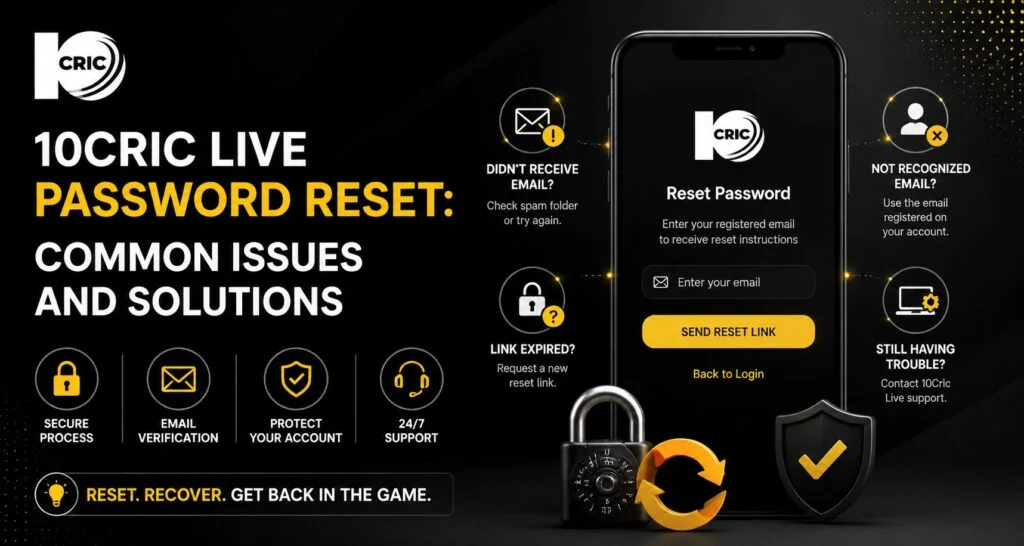
Forgetting a password can turn a simple login into a frustrating experience, particularly when you want quick access to your account. A straightforward recovery process helps users regain access without unnecessary delays while also protecting account information. When using 10Cric live, knowing what to do when a password is forgotten can make the overall account experience more comfortable and less stressful.
We looked at the available 10CRIC help information and comparable account-recovery guides before preparing this article. The official 10CRIC help centre advises users who cannot log in to use the Forgot Password option first. It also notes that repeated unsuccessful login attempts may temporarily lock an account for around 30 minutes, while clearing browser cache and cookies can resolve some access problems.
Why a Simple Password Reset Process Matters
A password reset is more than just recovering a forgotten combination of letters and numbers. It is part of maintaining control over an online account.
A good recovery process should be easy to understand, require appropriate verification, and avoid asking users to disclose their existing password. This is especially important for accounts that contain personal information or payment-related details.
For users, the main benefits are straightforward:
- Less time spent trying different passwords
- A clearer way to regain account access
- Better protection against unauthorized access
- Fewer unnecessary support requests
- Greater confidence when managing account details
The quality of the experience often depends on how clearly the recovery instructions are presented.
How to Reset a Forgotten 10Cric Password
If you cannot remember your password, the first option should be the password recovery feature provided on the login page.
A typical process involves these steps:
- Open the 10Cric login page through the appropriate website or app.
- Select the Forgot Password option.
- Provide the registered account information requested by the platform.
- Complete any verification step sent to your registered contact method.
- Follow the password-reset instructions.
- Create a new, unique password.
- Return to the login page and sign in with the updated credentials.
The official help information specifically recommends using the Forgot Password facility when users are unable to log in.
The exact fields or verification method can change, so users should follow the instructions displayed on the current login page rather than relying on an old screenshot or third-party guide.
Common Password Reset Problems
Sometimes the reset process itself does not work as expected. Understanding the likely causes can save time.
Reset Email or Code Does Not Arrive
Check that you are using the email address or mobile number registered with your account. Also check your spam or junk folder if the recovery message is delivered by email.
Avoid repeatedly requesting codes within a short period. Multiple requests can sometimes create confusion because an earlier code may become invalid when a newer one is generated.
Incorrect Account Details
A spelling mistake, extra space, or use of an old email address can prevent account verification. Carefully enter the details associated with the account.
If you have several email addresses or phone numbers, confirm which one was originally registered.
Account Temporarily Locked
Repeated unsuccessful login attempts can result in a temporary restriction. According to the 10CRIC help centre, users may need to wait approximately 30 minutes before trying again after too many unsuccessful attempts.
Instead of repeatedly attempting different passwords, wait for the restriction to expire and then use the password recovery option.
Browser and App Issues Can Also Affect Login
Not every password problem is actually related to the password.
Cached browser files, outdated applications, cookies, or temporary connectivity problems can interfere with a login page. The 10CRIC help centre recommends clearing cache and cookies when login difficulties continue.
For a more comfortable experience, users can also try:
- Refreshing the login page
- Updating the browser or app
- Trying another supported browser
- Checking the internet connection
- Restarting the device
- Clearing outdated cache data
These simple checks can help separate a genuine password problem from a technical access issue.
Creating a Better New Password
Once access is restored, avoid choosing a password that is easy to guess. Do not use your name, birthday, phone number, or a simple sequence.
A stronger approach is to create a unique password containing a mixture of uppercase and lowercase letters, numbers, and symbols where accepted.
Most importantly, do not reuse the same password across multiple websites. If another service suffers a security incident, reused credentials can increase the risk to other accounts.
A password manager can also make long, unique passwords easier to manage without requiring you to memorize every combination.
How Password Recovery Supports Customer Experience
Account recovery is one of those features that users may overlook until something goes wrong. When the instructions are clear, the process feels simple. When instructions are confusing, even a minor issue can become frustrating.
This is where ease of use and customer support matter. Users should be able to understand what information they need, what verification is required, and what to do if the automated process fails.
The official 10CRIC help centre advises users who remain unable to log in after trying the suggested steps to contact customer support.
That support route provides an important alternative when automated recovery cannot resolve the problem.
Security Should Come Before Convenience
It can be tempting to save passwords on every device for faster access. However, convenience should be balanced with security.
Only save login details on a personal device that you control. Avoid entering passwords on shared computers, public devices, or unfamiliar websites. Be particularly careful with messages claiming that your account needs immediate verification.
10CRIC’s published terms state that customers are responsible for keeping their username and password confidential.
Never send your password to another person, even if someone claims to be providing account support.
Thoughtful Account Management Has Long-Term Value
Password management is a small part of responsible digital account use, but it can have long-term value. Keeping contact details updated, using unique credentials, reviewing account activity, and avoiding suspicious links can reduce avoidable access problems.
It is also a more sustainable approach to account management because users spend less time repeatedly creating accounts, contacting support, or troubleshooting preventable login problems.
Changing customer expectations are also influencing this area. People increasingly expect online services to provide quick recovery options while still maintaining meaningful security checks. The best experience balances both.
Conclusion
A forgotten password does not necessarily have to become a major account-access problem. Using the official recovery option, checking registered contact details, waiting out temporary restrictions, and troubleshooting browser issues can resolve many common situations. Good password habits also provide better long-term security and a more comfortable customer experience. For anyone using 10Cric, taking a few minutes to manage login credentials carefully can make future access simpler while keeping account security in mind.
FAQs
How do I reset my 10Cric password?
Use the Forgot Password option on the login page and follow the verification and reset instructions provided by the platform.
What if I cannot access my registered email or phone?
If the normal recovery process does not work, contact the platform’s official customer support and follow its account-verification procedure. Do not provide your password to anyone.
Why is my 10Cric login temporarily blocked?
Multiple unsuccessful login attempts can trigger a temporary restriction. The official help centre says users may need to wait about 30 minutes before trying again.
Can clearing browser cache fix login problems?
It can help when outdated cached files or cookies interfere with the login process. Clearing cache and cookies is one of the troubleshooting steps recommended by the 10CRIC help centre.
What should I do after resetting my password?
Create a unique password, avoid sharing it, and use it only on the intended account. If available, review the account’s security settings and verification options.


