
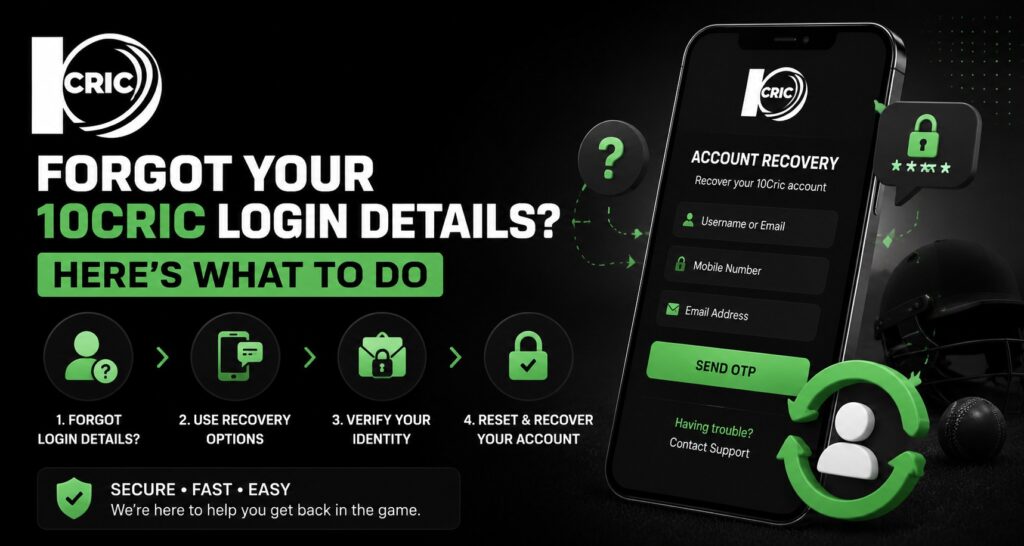
Forgetting account details can be frustrating, especially when you want to access an account without spending time trying different passwords. If you have forgotten your 10Cric login details, the best approach is to use the platform’s account recovery options rather than repeatedly entering credentials. Official 10Cric help guidance recommends using the “Forgot Password” facility when login access is unavailable.
A straightforward recovery process can make account access more comfortable and reduce unnecessary login attempts. It also gives users a chance to review their account security and make better choices about storing credentials for future use.
Why Forgotten Login Details Can Become a Problem
Login problems are not always caused by a forgotten password. Users may enter an old email address, mistype their credentials, use outdated browser information, or attempt to access an account after several unsuccessful login attempts.
Repeated attempts can make the situation more complicated. According to 10Cric’s help information, an account may be temporarily locked after too many unsuccessful login attempts, with a waiting period before another attempt can be made.
This is why taking a moment to identify the actual problem is useful. Instead of guessing repeatedly, check whether the issue involves the password, registered contact details, browser, or temporary account restrictions.
How to Reset a Forgotten Password
If the password is the main problem, start with the recovery option displayed on the login page.
The general process is simple:
- Open the 10Cric login page.
- Look for the “Forgot Password” option.
- Select the recovery option and provide the requested registered information.
- Check your registered email or other available recovery channel for instructions.
- Follow the provided steps to create a new password.
- Return to the login page and try signing in with the updated credentials.
The exact fields or verification steps can vary depending on the account and current platform interface, so users should follow the instructions presented on the official page rather than relying on an old screenshot or third-party guide.
What If the Password Reset Does Not Work?
Sometimes a password reset request does not immediately solve the problem. Before contacting support, there are a few practical checks worth making.
First, confirm that you are using the email address or other information originally connected to the account. Also check your spam, junk, or promotional folders if you are waiting for a recovery message.
If you have made several unsuccessful login attempts, avoid continuing to guess the password. 10Cric’s support documentation advises waiting around 30 minutes if the account has entered a temporary lockdown.
Browser problems can also interfere with account access. Clearing cached files and cookies may help when an older session or stored browser data causes an error.
Making Account Recovery Easier
Good account management is not only about recovering a forgotten password. It is also about making future access simple and secure.
A strong password should be difficult for other people to guess but manageable for you to remember. Avoid using obvious combinations such as your name, birthday, or repeated numbers. A reputable password manager can also help you store unique credentials without relying on memory alone.
It is equally important to protect the email account or phone number associated with your gaming account. If someone gains access to your recovery channel, password recovery can become a security concern.
Never share passwords, verification codes, or recovery links with another person. Customer support should not need your complete password to investigate a login problem.
Ease of Use Matters During Account Recovery
Account recovery is an important part of the overall customer experience. A login system may offer plenty of features, but those features are less useful if customers cannot regain access when they forget their credentials.
A clear recovery process reduces confusion. Simple instructions, recognizable recovery options, and useful error messages can make the experience more comfortable for both new and existing users.
For us, ease of use should not mean removing security checks. The better approach is to make security understandable while keeping the recovery process practical.
A Better Customer Experience Starts With Clear Support
Not every account problem can be solved through a password reset. Users may lose access to their registered email address, encounter verification problems, or experience technical issues.
In these situations, contacting the platform’s official support channel is the safer option. The official 10Cric help article advises users who remain unable to log in after basic troubleshooting to contact customer support.
When contacting support, explain the problem clearly and provide only the information requested through the official channel. Avoid sending sensitive credentials or verification codes to unofficial contacts.
Quality, Security and Long-Term Account Management
A thoughtful login experience should balance convenience with account protection. Password recovery is one part of that balance.
Users should regularly review where their credentials are stored, avoid reusing important passwords, and keep their recovery email or phone number accessible. These small habits can provide long-term value because they reduce the chances of being locked out or needing repeated support.
It is also worth being careful about unofficial websites offering account recovery. Search results can contain pages that look similar to legitimate services. Before entering personal information, check the website address and make sure you are using a trusted, official source.
This kind of careful decision-making is more sustainable than repeatedly creating new accounts or relying on unknown third parties whenever an access problem occurs.
How Changing Customer Expectations Affect Login Systems
People now expect digital services to work smoothly across different devices. They also expect account recovery to be quick, understandable, and secure.
That has changed what customers consider a good online experience. A modern account system needs to support convenience without treating security as an afterthought.
For users, this means choosing sensible security habits and keeping recovery information updated. For platforms, it means providing clear instructions, responsive support, and recovery processes that do not unnecessarily complicate simple problems.
Conclusion
Forgetting account credentials does not necessarily mean losing access permanently. Start with the official recovery option, avoid repeated password guesses, check your recovery messages, and troubleshoot basic browser issues when necessary. If the problem continues, use the platform’s official customer support rather than an unverified third party.
When managing your 10Cric com, a little preparation can make future access easier. Keeping recovery details current, using a strong unique password, and protecting verification information can create a more comfortable and secure account experience over the long term.
FAQs
1. What should I do if I forget my 10Cric password?
Use the “Forgot Password” option on the login page and follow the recovery instructions provided for your registered account.
2. Why is my 10Cric account not letting me log in?
Check your credentials first. If you have made several unsuccessful attempts, you may need to wait before trying again. Browser cache and cookies can also sometimes cause login problems.
3. Can I reset my password if I cannot remember it?
Yes, the password recovery facility is designed for situations where users cannot remember their current password.
4. What if I do not receive the password reset message?
Check your spam or junk folder and confirm that you are using the registered recovery information. If the message still does not arrive, contact official customer support.
5. Should I keep trying different passwords?
No. Repeated unsuccessful attempts may result in a temporary account lock. It is better to use the password recovery option instead.