
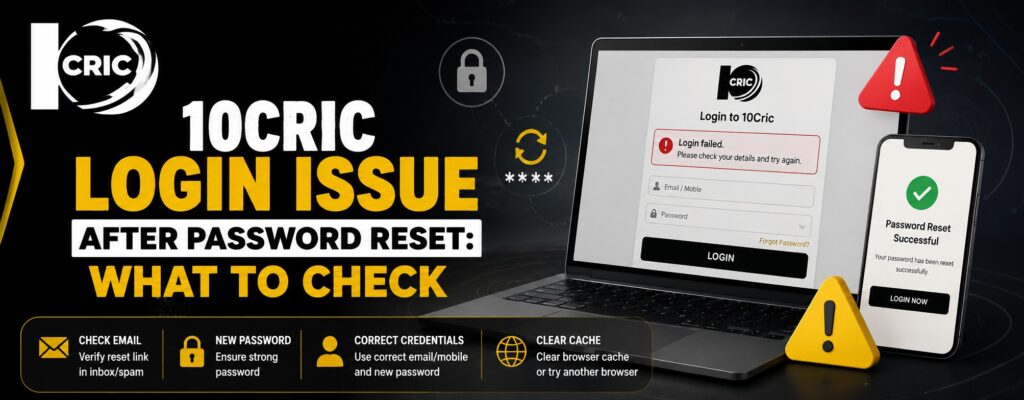
Resetting a forgotten password should normally make account access easier, but sometimes users still cannot sign in afterward. A failed 10Cric login after a password change can happen for several simple reasons, including an old saved password, browser cache, account lockouts, or a delay with the reset process. Understanding these possibilities can save time and prevent repeated failed attempts. We have put together this guide to explain what to check, how to troubleshoot the problem, and when it makes sense to contact customer support.
Confirm That the Password Reset Was Completed
The first step is to make sure the password reset actually finished successfully. Depending on the recovery process available to your account, you may receive a reset link or other verification instructions.
Check the email address associated with your account and look for the password-reset message. If you cannot find it, check your spam, junk, promotions, or other filtered folders.
It is also worth checking whether you created a new password successfully or simply requested a reset link. These are two different stages. A reset request does not necessarily mean the password has already changed.
Once the reset is complete, enter the new password manually instead of relying on an old saved credential.
Check for an Old Saved Password
Browsers and password managers are designed to make signing in more convenient, but they can sometimes create confusion after a password change.
For example, your browser may automatically fill the previous password even though you have already created a new one. The login page can then reject the credentials, making it appear that the password reset did not work.
Delete the automatically filled password from the login field and type the new password manually. If you use a password manager, check that it has updated the saved credential.
This small step can make the login process more comfortable because it removes one common source of repeated errors.
Avoid Repeated Login Attempts
If you have already tried several incorrect passwords, do not continue guessing. Repeated attempts can result in a temporary account lock.
10Cric’s help centre advises users who have made too many login attempts to wait approximately 30 minutes before trying again. It also notes that the temporary lockdown cannot simply be removed during that period.
Waiting may feel inconvenient, but it is a better approach than repeatedly entering different passwords. From a security perspective, temporary restrictions can help protect an account from unauthorized access.
After the waiting period, use only the newly created password and make one careful attempt.
Clear Browser Cache and Cookies
Another possible cause is outdated information stored by the browser. Cookies and cached files can occasionally interfere with updated login sessions.
The official 10Cric help guidance recommends clearing cache and cookies when login problems continue.
The exact process varies by browser, but generally you can open the browser settings, find privacy or browsing-data options, select cached files and cookies, and clear them.
After doing this, close and reopen the browser. Then visit the correct login page and enter your updated credentials manually.
Using a private or incognito window can also be a useful diagnostic step. If the account works there, the problem may be related to stored browser data rather than the password itself.
Check Your Email and Account Details Carefully
A password can be correct while another account detail is wrong.
Some users have multiple email addresses or accounts and may accidentally enter an email address that is not connected to the account they are trying to access. Third-party guides also identify forgotten email addresses as a potential login problem and recommend checking which address is associated with the account.
Before contacting support, confirm:
- The email address or username is correct.
- The new password is being entered exactly as created.
- Caps Lock is not enabled accidentally.
- There are no unwanted spaces before or after the credentials.
- You are using the same account that received the reset instructions.
These checks are simple, but they can prevent unnecessary troubleshooting.
Try Another Supported Browser or Device
If the account still does not open, test the login from another browser or device. This helps determine whether the issue is account-related or specific to the original setup.
For example, if the login fails in one browser but works in another, the original browser may have a cookie, cache, extension, or autofill problem.
Similarly, if the website works on a computer but not on your phone, check whether the mobile browser or app needs an update.
The goal is not to keep switching devices indefinitely. Instead, use another device as a diagnostic step before deciding that the account itself is inaccessible.
When Customer Support Becomes the Best Option
If you have completed the password reset, waited after repeated attempts, cleared browser data, and checked your credentials but still cannot access the account, contacting customer support is the sensible next step.
The official help centre says users who remain unable to log in after the basic troubleshooting steps can contact 10Cric support for assistance.
When contacting support, explain the problem clearly. Mention that you have already reset the password and describe any error message appearing on screen. Avoid sending your password or other unnecessary confidential information.
Providing accurate details can help the support team understand the issue without requiring you to repeat the same troubleshooting steps.
Why Simple Account Recovery Matters to Customer Experience
Account access is an important part of any digital service. Users expect password recovery to be straightforward, understandable, and secure.
Good account management should balance convenience with protection. A quick reset process is useful, but temporary security restrictions and verification steps can also protect customers from unauthorized access.
This balance matters as customer expectations change. People increasingly expect websites and apps to work consistently across browsers and devices while still protecting personal information.
A clear recovery process therefore adds long-term value. It reduces frustration, gives customers confidence in account security, and makes routine account management easier.
Thoughtful and Responsible Account Decisions
Password problems can sometimes encourage users to make rushed decisions, such as repeatedly attempting access or creating unnecessary accounts. A better approach is to pause and resolve the original issue carefully.
Users should also understand the rules and availability of online betting services in their location before using them. Where gambling is legally available, it should be approached responsibly and within personal financial limits. Account access should never become a reason to chase losses or continue playing beyond a comfortable budget.
Thoughtful account management is useful beyond this specific platform. Strong passwords, updated contact details, secure devices, and careful use of account recovery tools are good digital habits for any online service.
Conclusion
A password reset does not always guarantee immediate account access. Old saved credentials, temporary security restrictions, browser data, incorrect account details, and device-specific problems can all interfere with signing in. If you experience a 10Cric live problem after changing your password, start with the simplest checks, wait if the account has been temporarily locked, clear browser data, and confirm that you are using the correct credentials. If those steps do not resolve the issue, contacting the official 10Cric support team is the appropriate next step. A calm, security-conscious approach can make account recovery easier while supporting a better overall customer experience.
FAQs
1. Why can’t I log in after resetting my 10Cric password?
Check that the new password was successfully created and that your browser is not automatically entering the previous password. Clearing cookies and cache can also help.
2. How long should I wait after too many failed login attempts?
According to the official 10Cric help centre, users may need to wait around 30 minutes after repeated failed attempts before trying again.
3. What should I do if the password-reset email does not arrive?
Check your spam, junk, and promotions folders first. Also confirm that you entered the email address associated with the account. If the message still does not arrive, contact official support.
4. Can clearing cookies fix a login problem?
It can. Outdated cookies or cached browser information may interfere with an updated login session. 10Cric’s official troubleshooting guidance recommends clearing cache and cookies when login difficulties continue.
5. What if I still cannot access my account?
If the password has been reset and the standard troubleshooting steps have not worked, contact 10Cric customer support and explain the issue. Do not share your password with anyone.